
1001Tracklists tracklist converter
Paste a tracklist you copied from a 1001Tracklists page. Timestamps, labels and unidentified ID tracks are all understood, and a w/ mashup becomes both of its tracks at the same cue point.
How to copy from 1001Tracklists
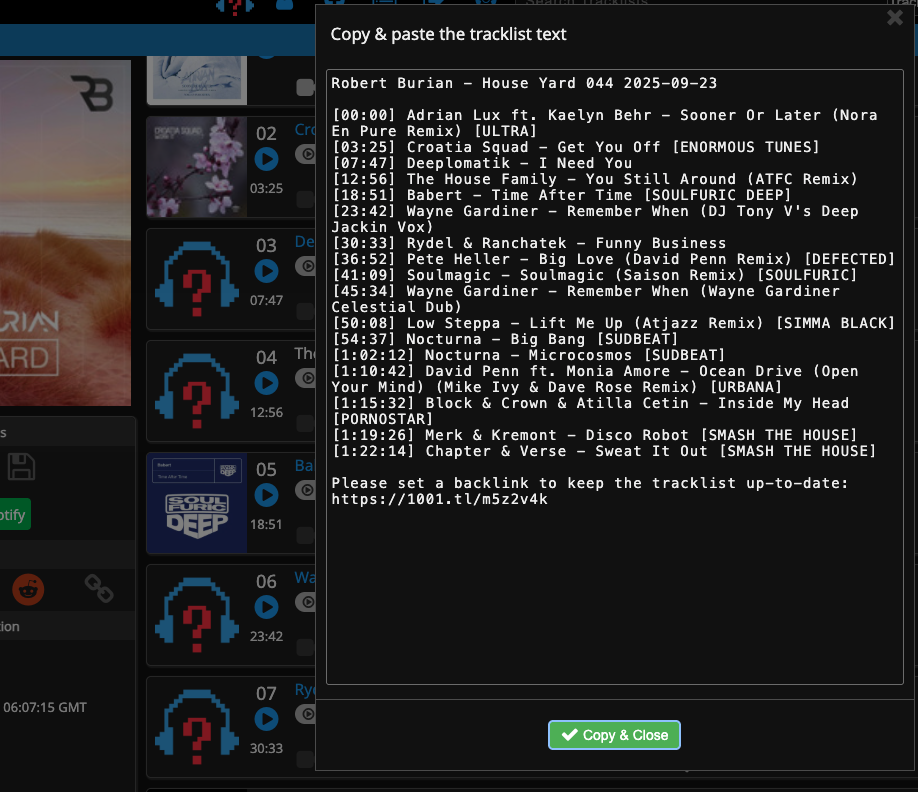
- Open the set page on 1001Tracklists.
- Click the disk icon to open the export options.
- Click the green Copy & close button.
INYour tracklist
OUTMixcloud / DJing format
Your converted tracklist will appear here.
Credit where it is due: 1001Tracklists is where that list came from.
No export? Send a screenshot
Reading a set page on a phone, or one where the copy dialog will not open, a screenshot of the tracklist section works just as well. Take one screen at a time and they are read as one continuous list.
In your dashboard, under Add prerecorded DJ sets, a screenshot is just another file you can upload: pick the image under Upload file, or set Tracklist to Screenshot to drop several in at once. We read the tracks off them in order, then hand them back for you to check before the set is saved. About 20 rows fit on a screen, so a long set takes a few.
Read a screenshot in your dashboard